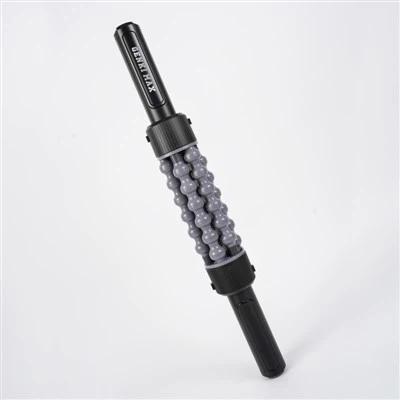
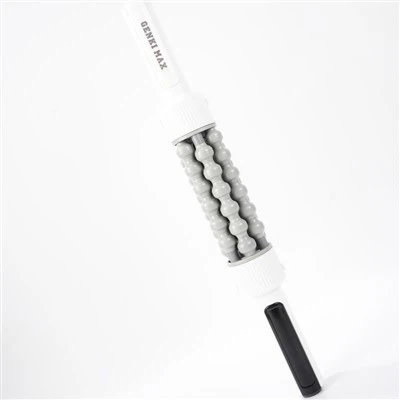
Adjusting the settings on a Yoga Electric Fascia Roller can significantly enhance your muscle recovery and relaxation experience. As a supplier of high - quality Yoga Electric Fascia Rollers, I'm here to guide you through the process of setting up and customizing this fantastic device to meet your specific needs.
Understanding the Basics of a Yoga Electric Fascia Roller
Before diving into the settings, it's essential to understand what a Yoga Electric Fascia Roller is and how it works. A fascia roller is a tool designed to target the fascia, a connective tissue that surrounds muscles, bones, and organs. When we exercise, the fascia can become tight and restricted, leading to muscle soreness, reduced flexibility, and even injury. An electric fascia roller uses vibration and sometimes heat to break up adhesions in the fascia, increase blood flow to the muscles, and promote relaxation.


Our range of Yoga Electric Fascia Rollers includes the Portable Electric Muscle Roller, the Fitness Electric Muscle Roller, and the Smart Electric Muscle Roller. Each model has unique features and settings to suit different users and their requirements.
Powering On and Initial Setup
The first step in adjusting the settings is to power on the roller. Most of our Yoga Electric Fascia Rollers come with a simple power button. Press and hold the button for a few seconds until the device lights up, indicating that it's powered on.
Once the roller is on, you may be greeted with a default setting. However, this can be adjusted according to your preferences. Some models may require you to pair with a mobile app for more advanced settings. If so, follow the instructions in the user manual to download the app and connect your roller via Bluetooth.
Adjusting Vibration Intensity
One of the most important settings on a Yoga Electric Fascia Roller is the vibration intensity. Different users have different tolerance levels and muscle needs, so being able to adjust the vibration intensity is crucial.
On our rollers, you can usually find a dedicated button for adjusting the vibration intensity. Press the button repeatedly to cycle through different intensity levels. For beginners or those with sensitive muscles, starting with a lower intensity is recommended. As your muscles get used to the massage, you can gradually increase the intensity for a more effective workout.
For example, if you've just completed a light yoga session, a lower vibration intensity can help soothe your muscles and promote relaxation. On the other hand, after a strenuous weight - training session, a higher intensity can be used to break up more stubborn adhesions in the fascia.
Changing Massage Modes
In addition to vibration intensity, our Yoga Electric Fascia Rollers often come with multiple massage modes. These modes are designed to mimic different types of massages, such as tapping, kneading, and rolling.
To change the massage mode, look for a mode button on the device. Press the button to cycle through the available modes. Each mode has a unique pattern of vibration and movement, which can provide different benefits.
The tapping mode is great for stimulating blood circulation and waking up tired muscles. The kneading mode, on the other hand, can help relieve muscle tension and pain by applying a deeper and more focused pressure. The rolling mode simulates the traditional rolling motion of a manual fascia roller, providing a more comprehensive massage.
Adjusting Heat Settings (if available)
Some of our advanced models, like the Smart Electric Muscle Roller, come with a heat function. Heat can further enhance the effectiveness of the massage by increasing blood flow to the muscles and promoting relaxation.
To adjust the heat settings, look for a heat button on the device or in the mobile app. Press the button to turn on the heat function. You may also be able to adjust the temperature level. Start with a lower temperature and gradually increase it if needed. However, be careful not to set the temperature too high to avoid burns.
Customizing Settings via Mobile App
If your Yoga Electric Fascia Roller is compatible with a mobile app, you can enjoy even more customization options. The app allows you to create personalized massage programs, track your usage history, and receive tips on muscle recovery.
In the app, you can combine different massage modes, vibration intensities, and heat settings to create a program that suits your specific needs. For example, you can create a pre - workout program to warm up your muscles or a post - workout program to aid in recovery.
Maintenance and Care
After adjusting the settings and using the Yoga Electric Fascia Roller, it's important to take proper care of the device. Keep the roller clean by wiping it with a damp cloth after each use. Avoid exposing the device to water or other liquids, as this can damage the internal components.
Store the roller in a cool, dry place when not in use. If the battery runs low, recharge it using the provided charger. Follow the charging instructions in the user manual to ensure the longevity of the battery.
Conclusion
Adjusting the settings on a Yoga Electric Fascia Roller is a straightforward process that can greatly enhance your muscle recovery and relaxation experience. Whether you're a beginner or an experienced user, our range of rollers offers a variety of settings to meet your needs.
If you're interested in purchasing our Yoga Electric Fascia Rollers for your fitness center, yoga studio, or personal use, we'd love to hear from you. Contact us to discuss your requirements and explore the best options for you. We're committed to providing high - quality products and excellent customer service.
References
- "Trigger Point Therapy Workbook: Your Self - Treatment Guide for Pain Relief" by Clair Davies
- "The Roll Model: A Step - by - Step Guide to Erase Pain, Improve Mobility, and Live Better in Your Body" by Jill Miller